
 Send Inquiry
 08045803818

 Send Inquiry
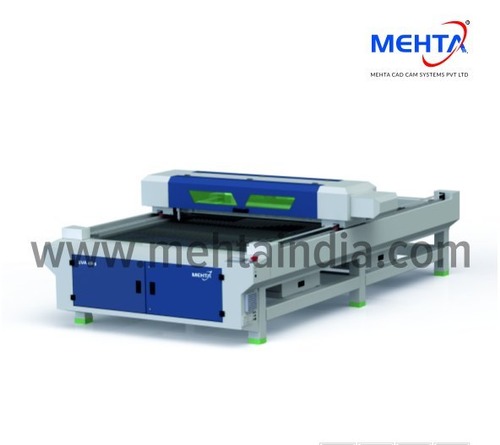
Desktop Laser Engraving Machine
Price 2500000.00 INR/ Unit
MOQ : 1 , , Unit
Desktop Laser Engraving Machine Specification
- Lubricating System
- No lubrication required
- Drive
- Belt Driven
- Voltage
- 220V
- Model No
- DL-80X50X25
- Features
- High Precision, USB Support, Built-in Exhaust Fan
- Control System
- Digital / Embedded Controller
- Machine Type
- CO2 Laser Engraving Machine
- Plastic Processed
- Acrylic, ABS, PVC, Polycarbonate
- Motor Power
- Stepper Motor
- Noise Level
- <60 dB
- Power Rating
- 40W/60W options
- Frequency
- 50Hz
- Accuracy
- 0.01 mm
- Operating Temperature
- 5C to 40C
- Cooling System
- Water cooling
- Production Capacity
- Up to 200 pieces/day
- Frame Type
- Steel Frame
- Connectivity Options
- USB, PC connection
- Product Type
- Desktop Laser Engraving Machine
- Technology
- Laser Engraving
- Power Source
- Electric
- Operating Type
- Manual / Semi-automatic
- Power
- 40W
- Pressure
- Atmospheric
- Surface Treatment
- Polished
- Dimension (L*W*H)
- 800mm x 500mm x 250mm
- Weight (kg)
- 22 kg
- Color
- Grey and Blue
- Usage & Applications
- Wood, Acrylic, Plastic, Leather, Paper, Crafts Engraving
- Engraving Depth
- 0.11.5 mm
- User Interface Language
- Multi-language Supported
- Packing Type
- Foam and Carton Box
- Ambient Humidity
- 5%90% RH (non-condensing)
- Laser Wavelength
- 10600 nm
- Max Engraving Area
- 500mm x 300mm
- Shipping Weight
- 28 kg
- Min Character Size
- 1x1 mm
- Exhaust System
- Built-in and External Supported
- Safety Features
- Interlock switch, Emergency stop
- Software Compatibility
- CorelDraw, LaserDRW, AutoCAD
- Supported File Formats
- AI, DXF, BMP, JPG, PLT, PNG, etc.
- Max Cutting Thickness (Acrylic)
- 5 mm
- Focal Length
- 50mm
- Compatible OS
- Windows 7/8/10
- Protection Class
- IP20
- Laser Tube Type
- Sealed CO2 Glass Tube
- Display Panel
- LCD Touch Screen
Desktop Laser Engraving Machine Trade Information
- Minimum Order Quantity
- 1 , , Unit
- Supply Ability
- 10 Units Per Month
- Delivery Time
- 1 Months
About Desktop Laser Engraving Machine
Product details
| Brand | Mehta |
| Operation Mode | Automatic |
| Input Voltage | 220V |
| Weight | 400-550kg |
Technical Specification
| MODEL | ERINA 400 | ERINA 250 | ERINA 100 | ERINA 80-2D |
| Laser Power | 400W | 250W | 100W | 80W |
| Laser Energy Regulator | RF CO Metal Laser Generator (U.S.A.) | |||
| Working Area (mm) | From 300mm x 300mm to 1200mm x 1200mm | From 300mm x 300mm to | Up to 400mm x 400mm | |
| Scan Head Type | 3D Dynamic Galvo System | 2D Galvo System | ||
| Cooling Method | Water Cooled | Air Cooled | ||
| Graphic Format Supported | PLT, DXF, DST, BMP, JPG, JPEG, PNG, TIF. | |||
| Power Supply | AC 220V 5% / 50 Hz / 60 Hz | |||
| Working Environment | 15 C - 30 C, Humidity : 30 - 80% | |||
| Over All Dimensions(LxWxH) | 2246 L x 1472 W x 2433 H | 1916 L x 917 W x 1817 H | ||
High Precision and Versatility
This laser engraver offers remarkable accuracy of 0.01 mm and supports a wide range of file formats, ensuring that users can create intricate designs with ease. Its 500mm x 300mm engraving area and the ability to engrave characters as small as 1x1 mm make it suitable for delicate and large projects alike.
Efficient Operation with Advanced Controls
Featuring a user-friendly LCD touch screen and digital embedded controller, the engraver provides manual and semi-automatic modes for streamlined workflow. The built-in exhaust fan and water cooling system ensure stable operation at noise levels below 60 dB, maximizing productivity and machine longevity.
Comprehensive Safety and Compatibility
Safety is prioritized with an interlock switch and emergency stop feature. The machine boasts multi-language support in its user interface and is compatible with CorelDraw, LaserDRW, and AutoCAD software on Windows 7/8/10 OS, catering to professional and hobbyist users.
FAQ's of Desktop Laser Engraving Machine:
Q: How do I operate the DL-80X50X25 CO2 Laser Engraving Machine?
A: Operation is straightforward using the LCD touch screen display for both manual and semi-automatic modes. After preparing your design in supported formats (AI, DXF, JPG, etc.), connect the machine via USB or PC, load your material onto the workspace, and follow the on-screen prompts to begin engraving.Q: What materials can this desktop laser engraver process?
A: The DL-80X50X25 can engrave and cut wood, acrylic (up to 5 mm thickness), plastic (including ABS, PVC, polycarbonate), leather, and paper. It is ideal for crafts, signage, and decorative applications due to its precision and versatility.Q: When should the built-in exhaust system be used?
A: The exhaust system should be activated during every engraving or cutting operation, especially when processing materials like acrylic, wood, or leather. It ensures safe and odor-free work conditions by efficiently removing fumes and particles.Q: Where can this laser engraving machine be installed?
A: With its compact dimensions (800mm x 500mm x 250mm) and a steel frame, the machine suits workshops, craft studios, educational labs, or commercial spaces. Proper ventilation and access to electric power (220V) are recommended for optimal safety and performance.Q: What safety features are integrated into the machine?
A: The engraver includes an interlock switch, emergency stop, and IP20 protection class, ensuring user safety during operation. The water cooling system further protects against overheating, while the built-in exhaust removes harmful fumes.Q: How does using this machine benefit my business or workflow?
A: Its high precision, fast production capacity (up to 200 pieces/day), and broad material compatibility streamline manufacturing and artistic projects. Multi-language support and compatibility with popular design software make it efficient and accessible to users of varying expertise.Q: What is the process for preparing a file for engraving?
A: Files should be saved in one of the supported formats (such as AI, DXF, BMP, JPG, PLT, or PNG). Use your preferred graphic software (CorelDraw, LaserDRW, or AutoCAD) to design, then import the file into the machine via USB or PC connection for quick setup and engraving.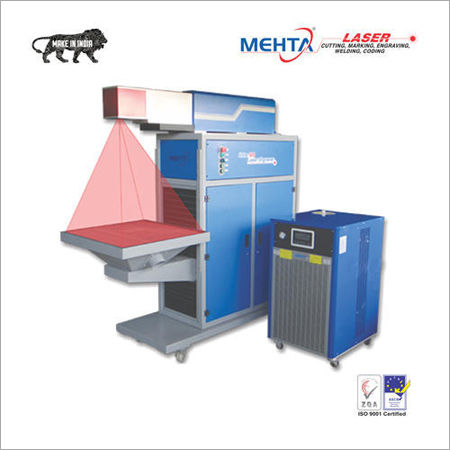
Tell us about your requirement

Price:
Quantity
Select Unit
- 50
- 100
- 200
- 250
- 500
- 1000+
Additional detail
Mobile number
Email

More Products in Laser Engraving Machine Category
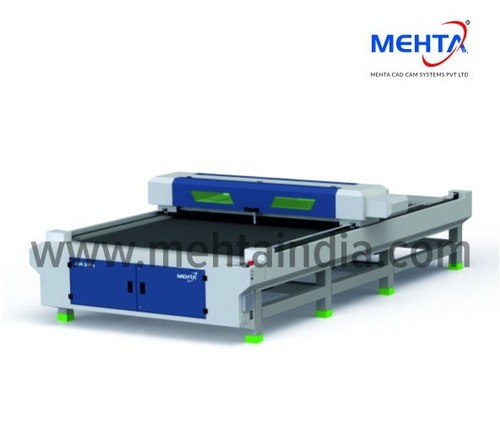
CO2 Laser Engraving Machine
Price 925000.00 INR / Unit
Minimum Order Quantity : 1 , , Unit
Plastic Processed : Acrylic, PVC
Motor Power : Stepper Motor
Operating Type : Automatic
Noise Level : Low
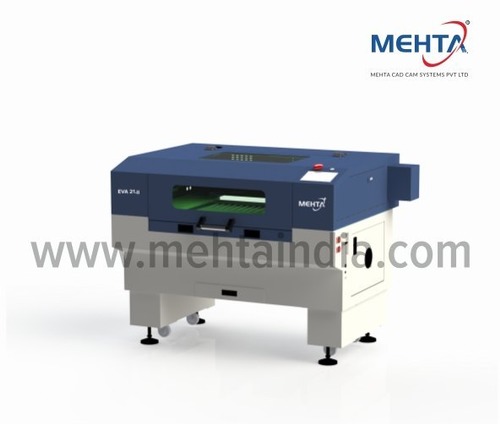
Co2 Laser Engraving Machine EVA 21
Price 275000.00 INR / Unit
Minimum Order Quantity : 1 , , Unit
Plastic Processed : EVA foam, Acrylic, PVC
Motor Power : Stepper Motor (XYZ Axis)
Operating Type : Automatic
Noise Level : <65 dB
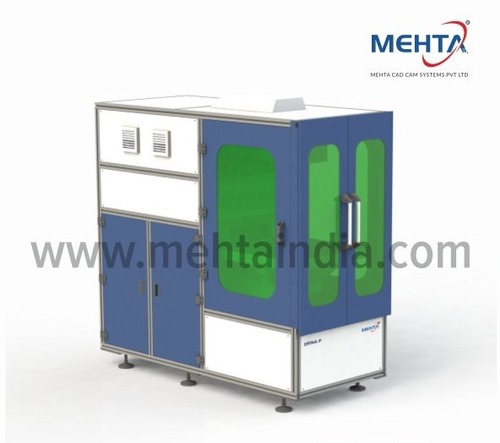
Engraver Machine
Price 275000.00 INR / Unit
Minimum Order Quantity : 1 Unit
Plastic Processed : ABS, Acrylic
Motor Power : Stepper Motor, 57 Series
Operating Type : Other, SemiAutomatic
Noise Level : <70 dB
Co2 Laser Engraving Machine Eva48
Price 680000.00 INR / Unit
Minimum Order Quantity : 1 , , Unit
Plastic Processed : Acrylic
Motor Power : Stepper Motor
Operating Type : Automatic
Noise Level : Low

Contact Us

- Plot No. 3, Road No. 1, Kathwada GIDC,Ahmedabad - 382430, Gujarat, India
- Phone : 08045803818
MEHTA CAD CAM SYSTEMS PVT. LTD.
GST : 24AACCM4397B1ZO
GST : 24AACCM4397B1ZO

- Ms Juli (Marketing Coordinator)
- Mobile : 08045803818
- mktg@mehtaindia.com

Our Products
- CNC Engraving Machines
- Fiber Laser Cutting Machine
- Laser Welding Machine
- Laser Engraving Machine
- Flex Printer Machine
- Fiber Laser Marking Machine
- CNC Channel Letter Bending Machine
- UV Flat Bed Printer
- Solvent Printing Machine
- Co2 Laser Engraving Machine
- Fiber Laser Metal Cutting Machine
- CNC Stone Engraving Machines
- Carving Machine
- Solvent Printer Machine
- Eco Solvent Printer
- CNC Plotter Machine
- Cnc Router Machine
- UV Roll to Roll Printer
- Cutting Machines
- Laser Cutting Machine
- Cnc Plasma Cutting Machine
- Laser Metal Cutting Machine
- Mdf Laser Cutting Machine
- Acrylic Laser Cutting Machine
- Direct Textile Printer
MEHTA CAD CAM SYSTEMS PVT. LTD.
All Rights Reserved.(Terms of Use)
Developed and Managed by Infocom Network Private Limited.
Developed and Managed by Infocom Network Private Limited.

